

Trello Documentation
How to Automate a Service Desk in Trello
With the right service desk automation rules in place, Trello can handle ticket movement, assignments, and status updates automatically, keeping your workflow clean without constant intervention.
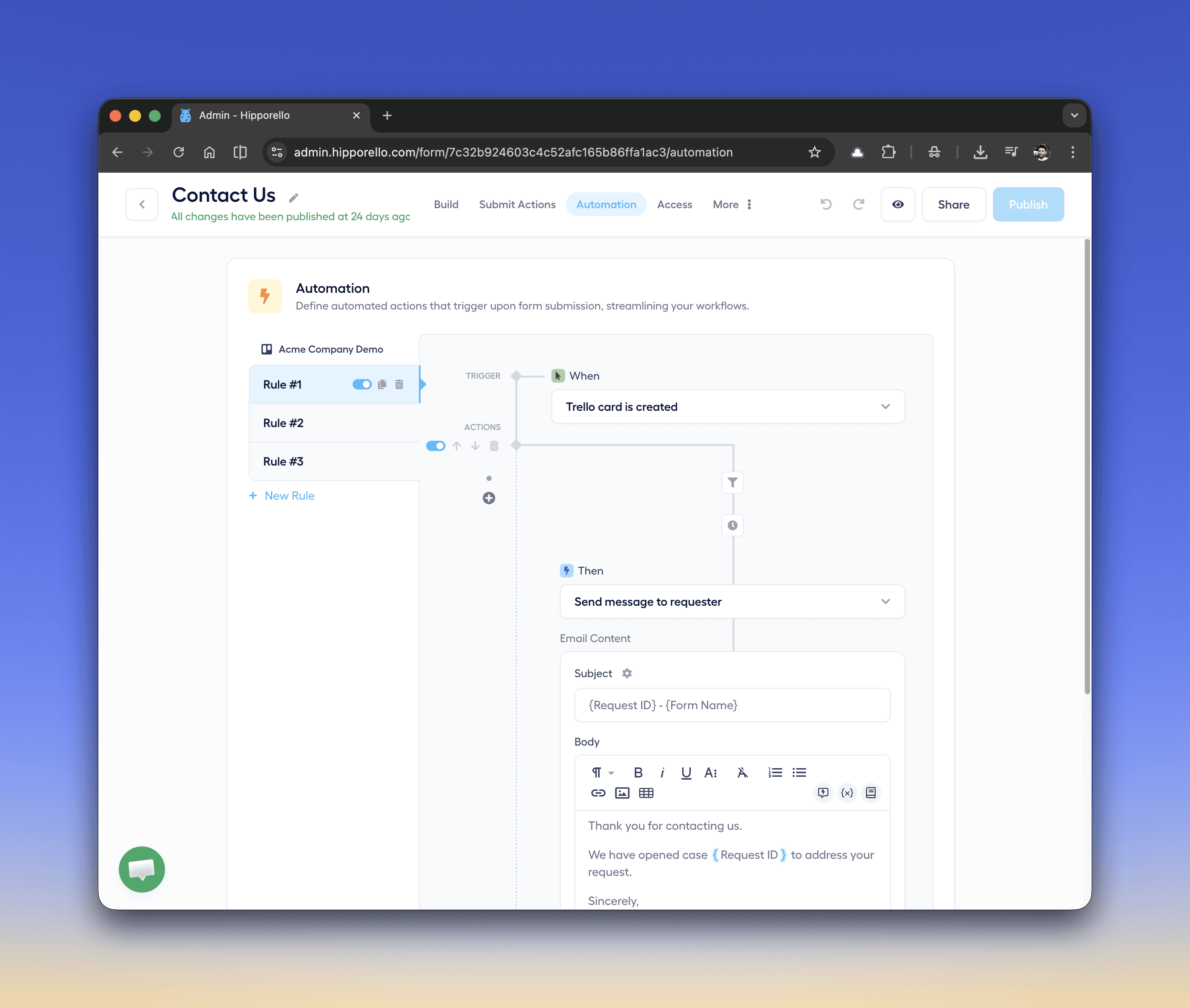
Automations allow support teams to handle requests faster while maintaining a consistent process. In this guide, we’ll show how to automate a Trello-based service desk setup so your team spends less time managing tickets and more time resolving them.
Hipporello's Automation Triggers and Actions available for Trello users
Triggers start the automation when an event occurs in Trello. Examples include:
Trello card is created
Trello card is moved
Comment is added to a Trello card
Trello card is archived
Labels added to a Trello card
For example, when a new Trello card is created from a form submission, an automation rule can immediately send a confirmation email to the requester.
Once a trigger occurs, automations perform predefined actions. Some examples are:
Send message to requester
Assign a card to a team member
Add labels to a card
Move the card to another list
Add comments to the card
Notify support agents
Actions help keep tickets organized and ensure requesters receive timely updates.
What does an example service desk automation workflow for Trello look like?
Here is a simple automation example:
Trigger
When Trello card is created
Condition
If request type = IT Support
Delay
Wait 10 minutes
Action
Send confirmation message to requester
This workflow ensures that requests are acknowledged automatically while also allowing time for internal processing.
Any other questions? Get in touch