

Trello Documentation
User Portal for Trello
The User Portal is a dedicated website where end users can submit service requests, support inquiries, or feedback using structured forms. Each submission automatically creates a Trello card, ensuring a consistent and trackable workflow for managing incoming requests.
When users access the portal, they interact with a clean and intuitive interface that helps them choose the appropriate form and submit the required information quickly.
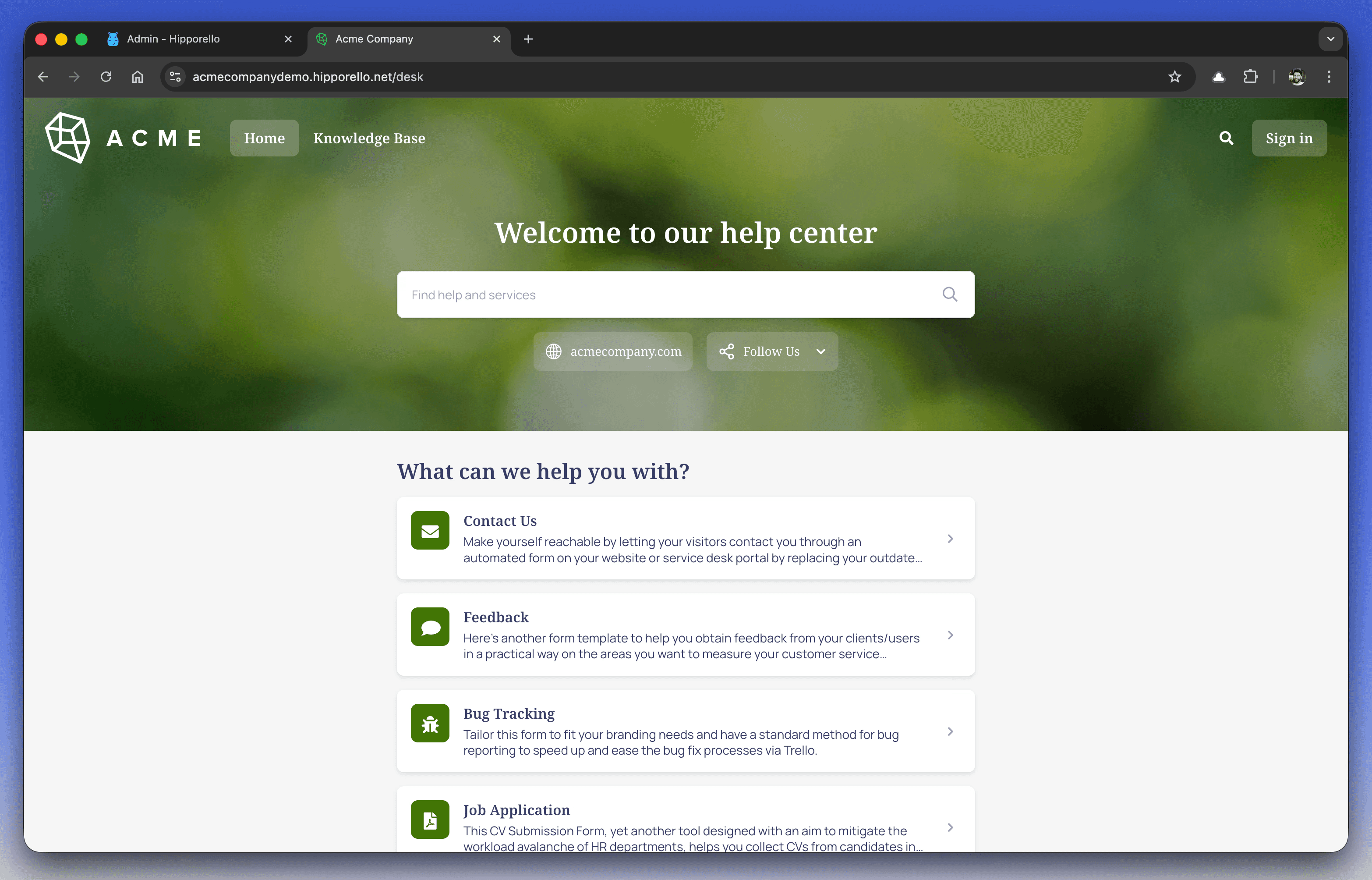
The portal is highly customizable, allowing organizations to align both its design and functionality with their brand identity and operational workflows.
Accessing Your Hipporello User Portal
After completing the Hipporello Service Desk setup:
Direct Access
Enter your portal address into your browser. The default format is: yourportalname.hipporello.net
Through Trello
Click the Hipporello Power-Up button on your Trello board and select Go to User Portal to open the portal view.
Key Features of the Hipporello User Portal
Pre-Published Forms
Several default forms are available immediately after installation, allowing teams to start collecting requests without additional setup.
Form Management
Administrators can create new forms, edit existing ones, or remove forms that are no longer needed to keep the portal aligned with current service offerings.
Customization Options
Portal design settings allow you to update:
Colors
Fonts
Logo
Form titles and descriptions
These settings help maintain a consistent and professional user experience.
Automated Workflow Integration
Every form submission automatically generates a Trello card in the designated board and list, ensuring requests are tracked from the moment they are submitted.
Any other questions? Get in touch