Notion can run as a ticketing system, and most teams get halfway there without any help: a database with a status property, a board view for the queue, a form for intake. Where the build usually stalls is at the edges — an email that arrives in someone's inbox instead of the database, a client asking for the third time whether anything happened, a reply that has to be typed somewhere other than the item it belongs to. This guide covers what a Notion database gives you natively, and how to add the missing intake and reply layer with Hipporello Service Desk for Notion so tickets stay where your team already works.
TL;DR
A Notion database is a workable ticket tracker on day one: properties for status, priority and owner, views for queues, and native Notion Forms for structured intake.
The wall is external. There's no native path for a support email to become a database item, no place for a requester to check status, and no reply thread on the item itself.
Hipporello Service Desk for Notion adds those pieces: inbound email addresses, a drag-and-drop form builder, a customer portal, and two-way conversations from inside the item. Requests arrive as ordinary Notion database items.
Requesters submit and track everything from your portal. No Notion account, no guest seat.
Cost: the free plan covers 5 requests a month; Premium is $10 per team member per month, with a 14-day trial and no card required.
Can Notion be used as a ticketing system?
Yes. A database item is a ticket by another name, and the loop every help desk runs — take the request in, give it a status and an owner, work it, close it — maps cleanly onto Notion properties and views. If the people raising tickets already work in your workspace, you can stand up a usable desk this afternoon: one database, a Status property, a Board view grouped by status, an Assignee property for ownership.
The honest version of that answer has a second half. Ticketing normally means the requester is someone else: a customer, a client, an employee in another department. For them the workspace is a closed door, and that's the part you have to build.
What does a ticketing database in Notion cover?
More than people expect. Working natively, you get:
Properties for everything a ticket needs to carry: status, priority, request type, owner, due date.
Views as queues. A board grouped by status for triage, a table filtered to your own open items, a calendar for anything with a deadline.
Notion Forms, available on every plan since late 2024. Each question maps to a database property and submissions land in the database, so a web form can feed your tracker directly. Conditional logic exists on Business and Enterprise plans.
Database automations, the native when/then rules, which can edit properties, post to Slack, or send an email through a connected personal Gmail account. These need a paid Notion plan.
Templates — the Notion Marketplace has a whole ticketing category, and any of them will save you the schema design.
If you're building from scratch rather than from a template, this starting schema covers most teams:
Properties: a Status property with New / In progress / Waiting on requester / Done, a Priority select, a Request type select (IT, billing, bug, whatever your categories are), a Person property for the owner, and Created time so nothing ages quietly.
Views: a board grouped by Status as the triage queue, a table filtered to "assigned to me and not Done" for each agent's worklist, and a table sorted oldest-first to catch tickets nobody has touched.
Intake: add a form view to the database, one question per property requesters should fill. Shared with "anyone on the web," it takes submissions from people without Notion accounts.
For internal work that's often enough. A five-person ops team logging its own requests doesn't need anything more, and you can run that setup entirely on what Notion ships.
Where does the native setup stop?
Four gaps show up once requests start coming from outside the workspace.
Email doesn't reach the database. Customers email support@ because that's what people do. There's no native route from that inbox into a Notion database, so the message lives in Gmail while the ticket that should exist doesn't. Notion Mail doesn't change this: it's a personal client for Gmail accounts, not a shared support inbox, and Notion has announced it will shut down in September 2026.
Replies have nowhere to live. Native automations send mail out through one person's connected account, and when the requester hits reply, the answer lands in that person's inbox rather than on the item. Ticket history splits in two.
Requesters can't see their own request. Someone who fills in a form gets a thank-you screen and then silence. Published pages are read-only, and inviting people as guests hands them real workspace pages, requires each of them to sign up for Notion, and caps out at 10 guests on the free plan.
Every notification is hand-built. Acknowledgements, status updates, nudges to the assignee: each one is a rule you wire yourself, per database.
None of this is a knock on Notion. Tracking work is what a workspace is built for, and it does that part well. Taking requests in from strangers, and holding a conversation with them afterwards, was never its job — that's what a service desk layer is for.
How do you turn Notion into a customer-facing ticketing system?
Four pieces sit on top of the database you already have. Nothing moves; tickets stay Notion items.
Connect the database. Start the setup from hipporello.com, pick whether requests should arrive by form, by email, or both, and authorize access to the Notion workspace. You land in the admin panel with your database connected. If different request types belong in different places, you can connect several Notion databases to one portal: IT requests in one, HR in another, while requesters only ever see a single place to submit.
Publish forms. Build request forms with a drag-and-drop builder, or start from a template, then put them on your portal or embed them on a site built with Framer, Shopify, Wix or WordPress. Every submission creates an item carrying the answers, plus context like country and submission source, so triage starts with the full picture. Our post on forms for Notion goes deeper on the form-building side.
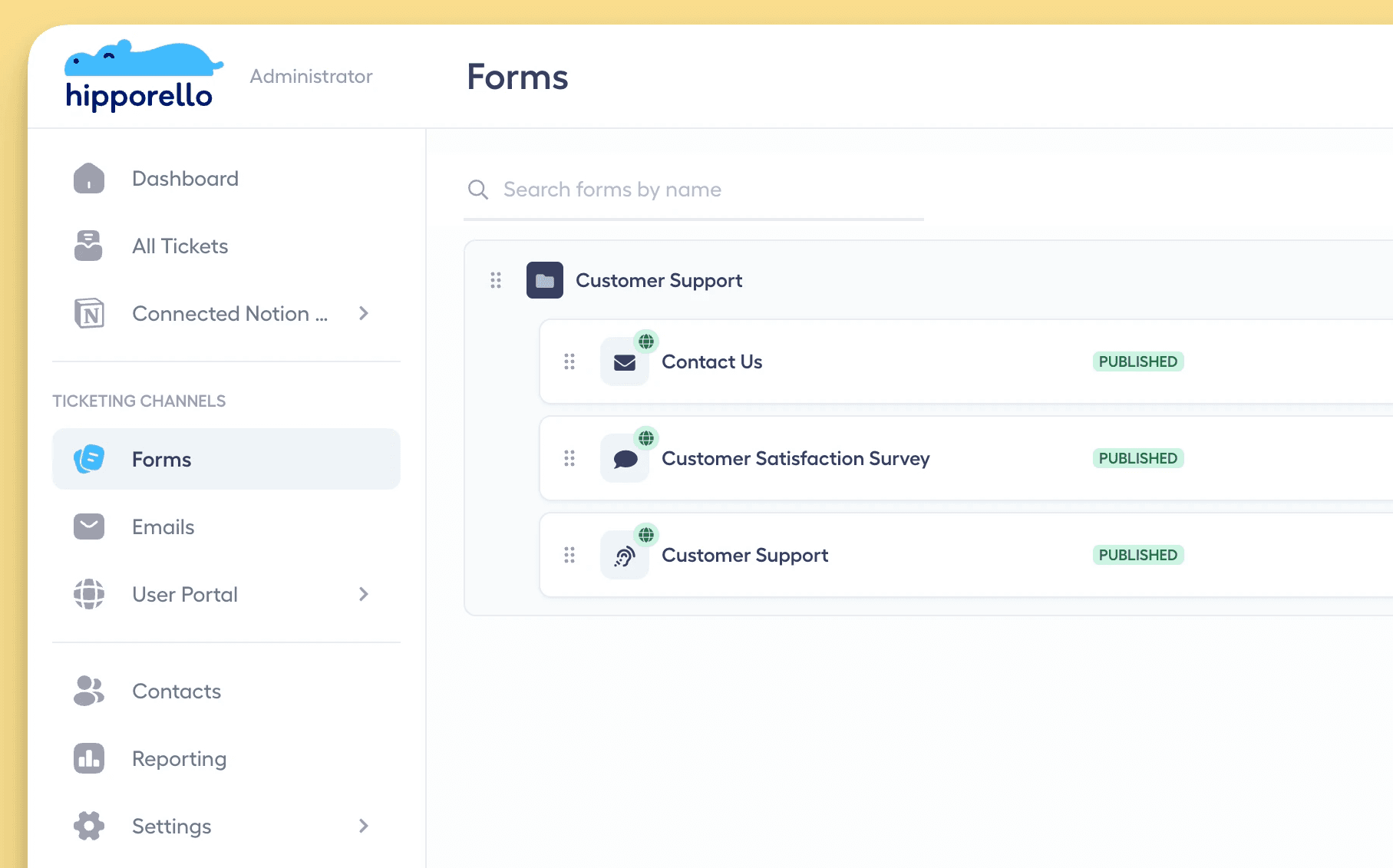
Turn on email. Connect a Gmail or Outlook inbox, use a Hipporello inbound address, or keep the mailbox you have and forward it. Mail sent to support@ or contact@ becomes an item in the database you choose, with the sender, subject, body and attachments attached to it. Rules decide which senders get through, so newsletters don't become tickets.
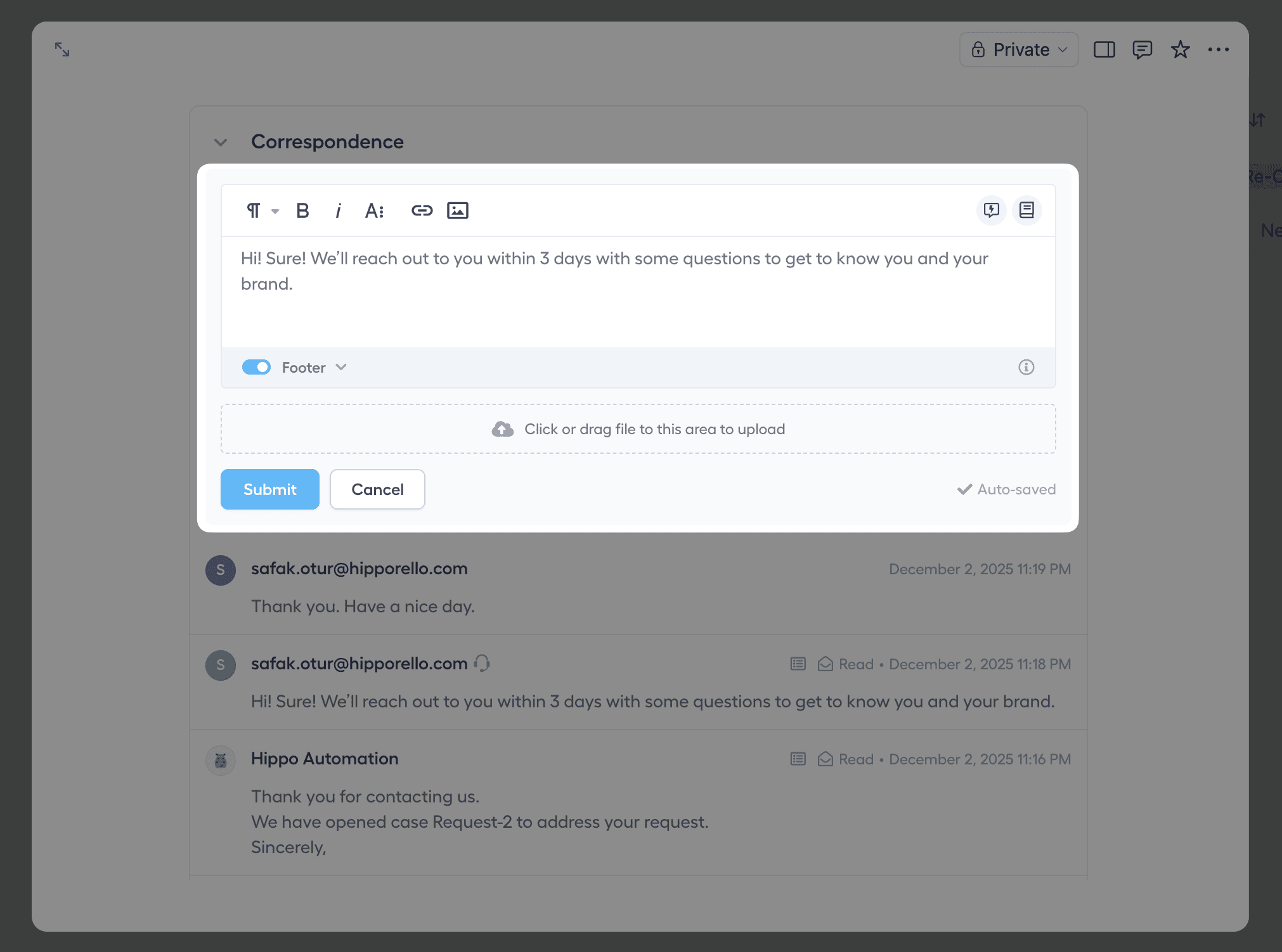
Give requesters a front door and reply from the item. Your user portal is a help center where people submit requests and follow status, with your colors, fonts and logo on it once you're on Premium. You control who gets in: open registration, Google and Microsoft sign-in, restriction to specific email domains, or invite-only. Your team answers from the Correspondence panel inside the Notion page, the requester gets an email, and their reply threads back onto the same item.
That's the whole build: a Notion helpdesk where the queue is the database view your team already checks, and every ticket is a native item.
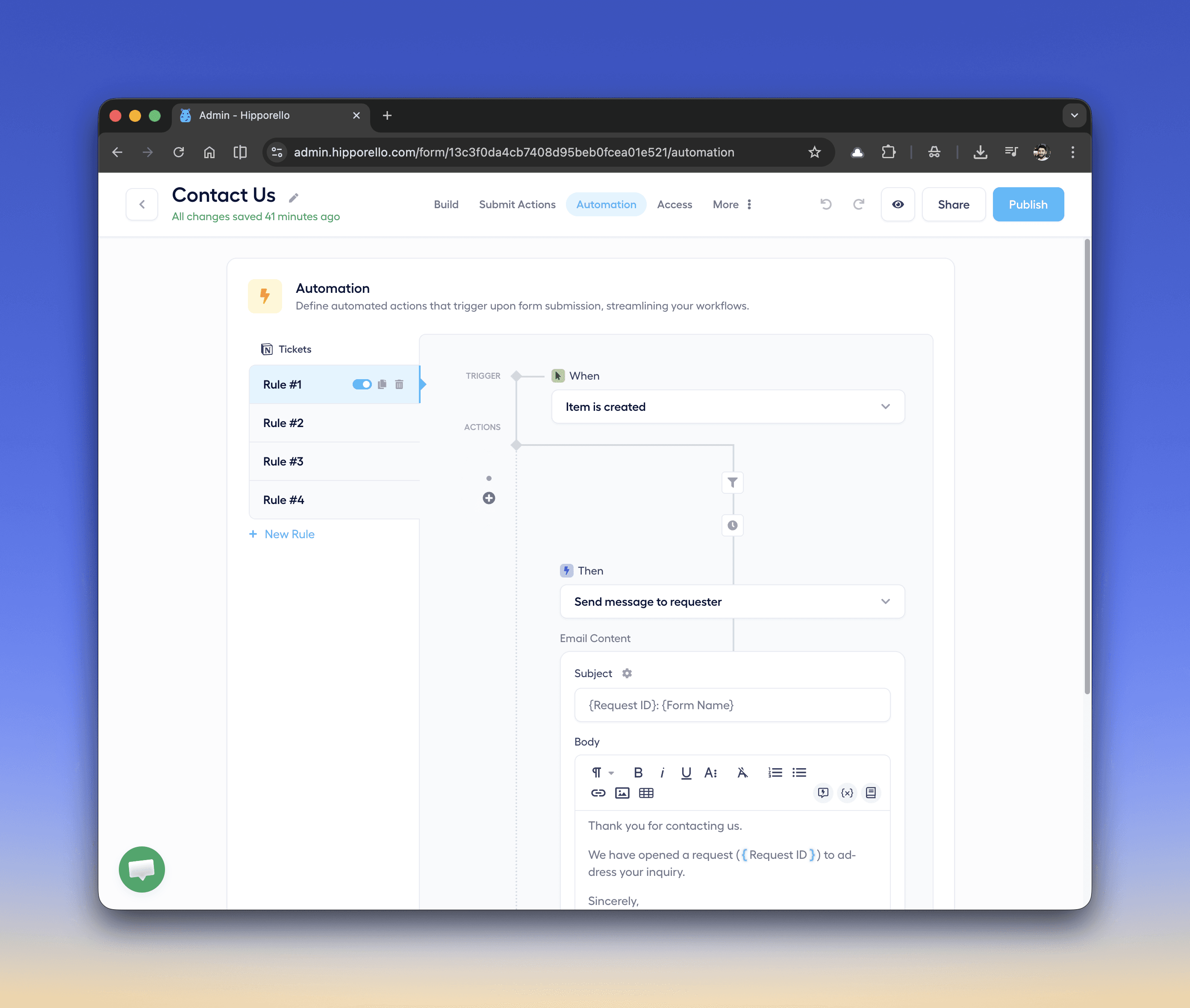
Once volume justifies it, automations handle the repetitive part. Triggers fire when an item is created, a property changes, a status moves, a tag is added or a comment appears; actions assign the item, tag it, update status, notify an agent, or message the requester. Conditions and delays are supported, so "acknowledge IT requests ten minutes after they arrive, unless someone has already picked it up" is a rule rather than a habit.
Do requesters need Notion accounts?
No, and that's usually the deciding detail. People submitting requests sign in to your portal, not to Notion, so they never appear in your workspace, consume a guest slot, or see anything beyond their own tickets. Your team keeps working in the Notion database; the outside world only ever sees the help center.
What does a Notion ticketing system cost?
Hipporello's free plan covers 5 requests into Notion per month through forms and email combined, with unlimited team members and public forms — enough to test the workflow properly before paying for it. Premium is $10 per team member per month and lifts the request cap, adding private forms, advanced automations, custom notification settings, and a custom domain for the portal. A 14-day trial covers everything, no credit card needed. The knowledge base is a separate add-on at $49.99 a month if you want help articles on the portal.
Your Notion bill doesn't change, since the people submitting tickets aren't members or guests of the workspace.
When is Notion the wrong base for a ticketing system?
A few cases, worth being straight about. If your intake has to include live chat, phone, or social media inboxes, this setup won't cover it: the channels here are forms, email, and the portal. If you're a large support organization with deep ITSM requirements, a dedicated enterprise help desk earns its price and Notion isn't the base to fight that battle on. And if your team doesn't actually work in Notion day to day, building the desk there just adds another tool; the whole point of this approach is that the queue lives where the team already is.
What else can you run on it besides customer support?
The same intake pattern covers most request queues a company has. IT support for employees, HR requests where the portal's domain restriction keeps things internal, bug reports from users who aren't in your workspace, marketing and design request queues, and client work at agencies, where each client submits through one portal while their requests land in whichever database the account team uses. Anywhere people outside Notion need to put work into it, the forms-and-email-and-portal layer does the job, and the team receiving the work doesn't change how it works.
FAQ
Can Notion be used as a ticketing system?
Yes. A Notion database with status, priority and assignee properties plus a board view is a functioning ticket tracker for anyone inside the workspace. To take tickets from customers or colleagues who aren't in Notion, you add an intake layer — a form and email front end such as Hipporello Service Desk for Notion — so their requests become database items automatically.
Can Notion create database items from emails?
Not on its own — nothing native converts incoming mail into database items, and Notion Mail (a personal Gmail client, retiring in September 2026) was built for a different job. With Hipporello Service Desk for Notion you connect a Gmail or Outlook account, use a Hipporello inbound address, or forward your existing support mailbox, and incoming mail becomes an item in the database you pick, carrying the sender, subject, body and attachments.
Do people submitting tickets need a Notion account or a guest seat?
No. Requesters use your portal, an embedded form, or plain email. Their requests become items in your Notion database, and they track status from the portal or their inbox without entering your workspace.
Are Notion's native forms enough for a help desk?
They're good for structured intake and they're on every plan, so a form-only workflow works well when requests are one-directional. A help desk also needs the return path: email intake, a status view for the requester, and replies that stay attached to the ticket. That's the part a service desk layer adds on top.
Start free with Service Desk for Notion, or book a live demo to see it running on your own database first.
Table of Contents