Jira is a ticketing system — for the people inside it. Issues, workflows, assignees, and boards give a team everything it needs to track its own work as tickets, with nothing extra installed. The gap appears when tickets come from outside: customers and colleagues who don't live in Jira need a way to submit requests, get replies, and see status without a Jira license. You can close that gap two ways: Jira Service Management, Atlassian's full ITSM suite, or a lightweight app like Hipporello Service Desk for Jira that turns the project you already have into a customer-facing desk. This guide covers both, and when each makes sense.
TL;DR
Plain Jira handles internal ticketing well out of the box: issue types for request categories, workflows for ticket states, boards and filters for queues.
What plain Jira lacks is intake and outreach: branded forms, a portal where outsiders track requests, and two-way email conversations from inside an issue.
Hipporello Service Desk for Jira adds exactly that layer to an existing Jira project. Requests arrive as ordinary Jira issues; requesters never need Atlassian accounts.
Jira Service Management is the right answer at ITSM scale (change management, CMDB, on-call). Many teams start lightweight and graduate to JSM later; nothing strands, because tickets were Jira issues all along.
Cost, as of July 2026: Service Desk for Jira is a flat $45.25/month for Jira instances up to 10 users on the Atlassian Marketplace; JSM Standard is $20 per agent/month.
Is Jira a ticketing system?
Yes. An issue is a ticket by another name, and Jira's core loop (create an issue, route it through a workflow, assign it, comment, resolve) is the same loop every ticketing tool runs. If your "tickets" come from people who already work in Jira, you can treat any project as a ticketing system today: one issue type per request category, a workflow for ticket states, a board as the queue.
The honest answer has a second half, though. Ticketing usually implies requesters who are not the team doing the work: customers, clients, employees from other departments. For them, plain Jira has no front door. That's the part you add.
What does plain Jira give you, and where does it stop?
Out of the box, a Jira project covers the inside of the ticketing loop:
Issue types and fields to structure request categories and the data each one needs.
Workflows to model ticket states, from "new" through "waiting on customer" to "resolved".
Boards, filters, and JQL for queues, triage views, and SLAs-by-eyeball.
Assignees, comments, and history so ownership and context stay on the ticket.
Where it stops is the outside of the loop. There's no branded form a customer can fill in, no portal where an outsider checks status, and no way for your team to hold an email conversation with a requester from inside the issue. Anyone who wants to participate normally needs a Jira license and access to your project, which is exactly what you don't want to hand to customers.
How do you turn Jira into a customer ticketing system?
You add an intake-and-reply layer on top of the project you already run. That's what Hipporello Service Desk for Jira is built for: four pieces, and none of them move your tickets anywhere new.
A support email address. Install Service Desk for Jira, start from hipporello.com or the Atlassian Marketplace listing, and choose the Jira project where requests should land. For email, connect a Gmail or Outlook inbox directly, use Hipporello's email infrastructure, or keep your existing mailbox and forward it. Either way, incoming emails become Jira issues automatically, in the project and status you choose.
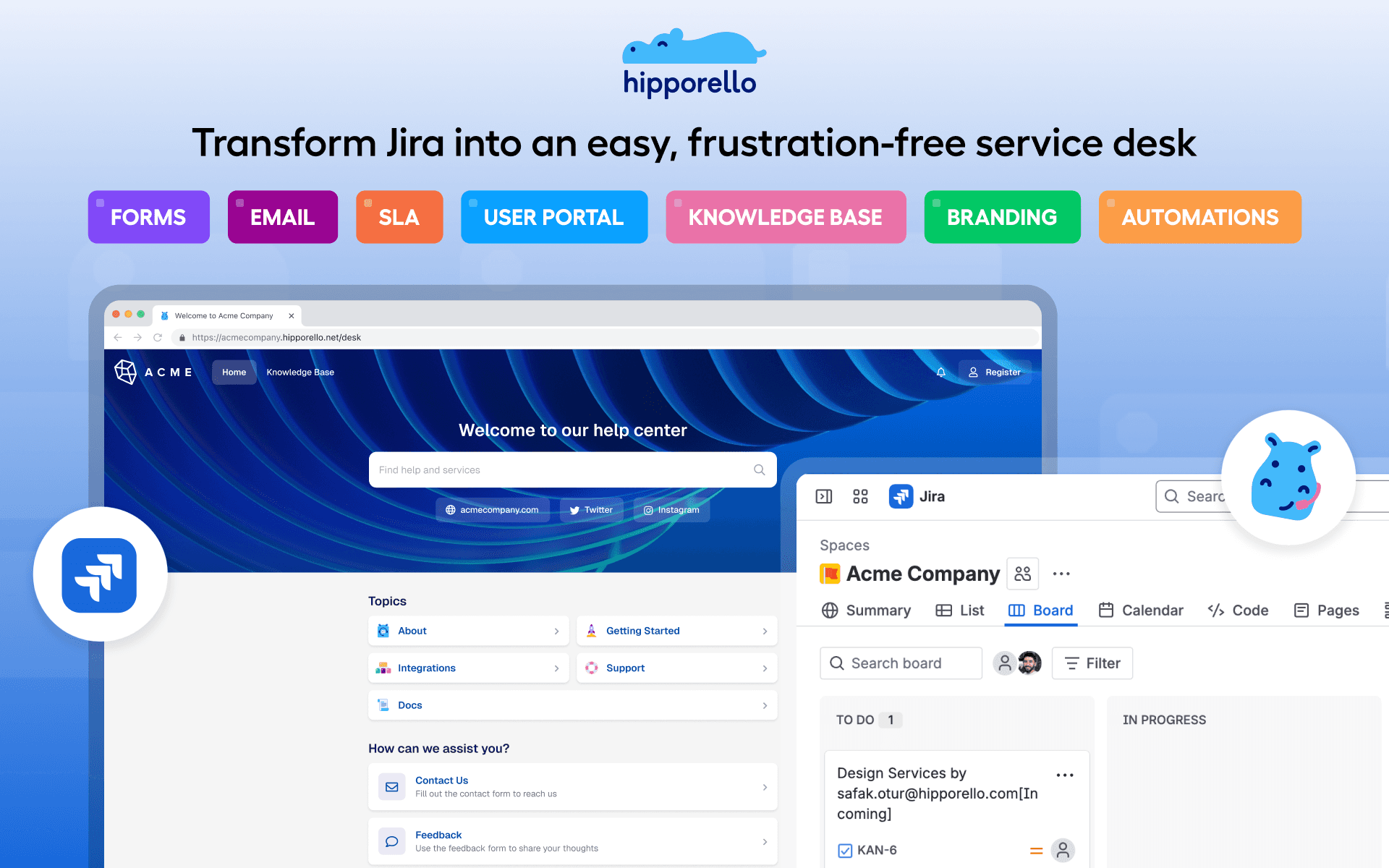
Forms. Build request forms with a drag-and-drop builder and put them on your site or portal. Each submission arrives as an issue carrying every answer, so triage starts with full context.
A branded portal. Your customers get a help center on your own domain where they submit requests and track status. They sign in to your portal, not to Jira, and they never need an Atlassian account.
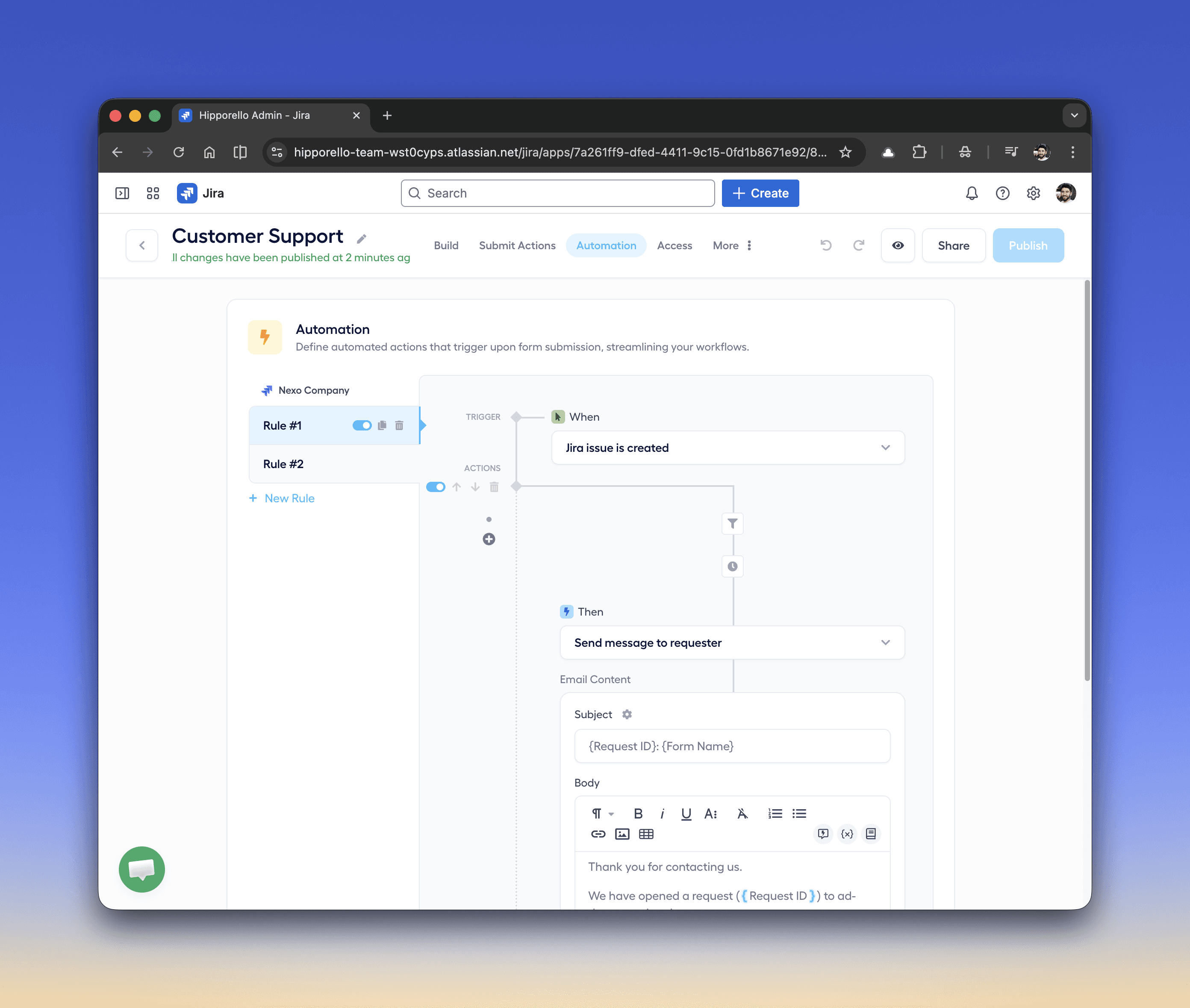
Replies from the issue. Your team answers from inside the Jira issue; the requester receives an email and can respond right back into the same thread. Add when/then automations for auto-replies, assignment, and status moves once volume grows.
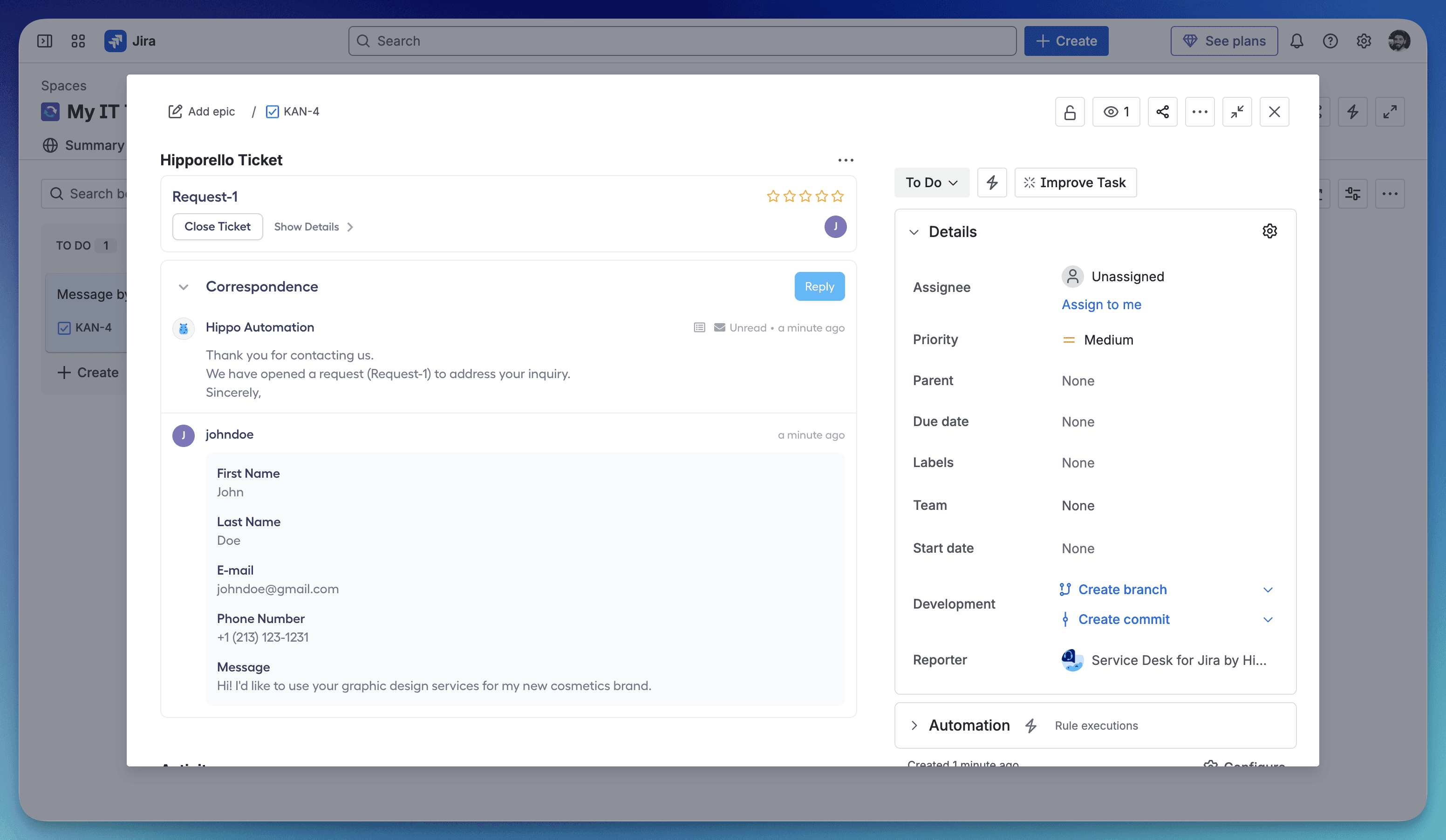
The result is a Jira helpdesk where the queue is your existing board and every ticket is a native Jira issue. The 30-day trial covers everything, no card required.
For a deeper look at how this compares to buying a separate help desk, the Jira Service Management alternative guide walks through the trade-offs feature by feature.
Do you need Jira Service Management for this?
Not for the setup above. JSM is Atlassian's ITSM suite, and it earns its place when you're running IT service management properly: ITIL change and incident workflows, an asset database (CMDB), on-call rotation. It also brings its own project type, its own concepts, and per-agent pricing, which is why reviewers consistently call it heavy for small teams.
The two approaches aren't rivals so much as stages. Small and mid-size teams get a working customer desk inside the Jira they already know; when scale genuinely demands ITSM, JSM is the natural next step, and because everything was a Jira issue all along, adopting it later doesn't mean migrating your ticket history.
What does a Jira ticketing system cost?
As of July 2026: Service Desk for Jira is sold on the Atlassian Marketplace and billed by Atlassian — a flat $45.25/month covers a Jira instance of up to 10 users on the Standard edition, with Advanced (adds add-ons like SLA management and a knowledge base) at $67.88. From 11 to 100 users it's $4.53 to $6.79 per user per month. There are no automation-run caps and no email caps on either edition.
Jira Service Management lists at $20 per agent/month on Standard and $51.42 on Premium, with a free plan for up to 3 agents. Check both listings for current figures; prices change.
What can you run on a Jira ticketing system besides customer support?
The same intake pattern covers most request workflows a company runs: IT support for employees, HR requests, bug reports from users who aren't on the dev team, and operations queues like facilities or finance requests. Anywhere people outside a Jira project need to put work into it, the email-plus-forms-plus-portal layer does the job, and the receiving team never changes how it works.
FAQ
Is Jira a ticketing system?
Yes, for the team working inside it: issues, workflows, and boards cover creating, routing, and resolving tickets. To take tickets from customers or colleagues outside Jira, you add an intake layer — either Jira Service Management or a lightweight app such as Hipporello Service Desk for Jira.
Can Jira create tickets from emails?
With Hipporello Service Desk for Jira, yes. Connect a Gmail or Outlook account directly, or forward your existing support mailbox; incoming emails become Jira issues automatically, and your team's replies from inside the issue reach the sender as email. Plain Jira has no comparable shared-inbox workflow for external senders.
Do people submitting tickets need Jira accounts?
No. Requesters use your branded portal, a form, or plain email. Their requests become Jira issues on your side, and they follow status from the portal or their inbox without ever seeing Jira.
What is the difference between Jira and Jira Service Management for ticketing?
Jira tracks work for the people inside a project. Jira Service Management adds a full ITSM layer — queues, request types, SLAs, change and incident management — as a separate product and project type. For teams that only need customer request handling, a lightweight service desk app on the existing Jira project covers it without the ITSM overhead.
Get Service Desk for Jira on the Atlassian Marketplace, or book a live demo to see it on your own project first.
Table of Contents