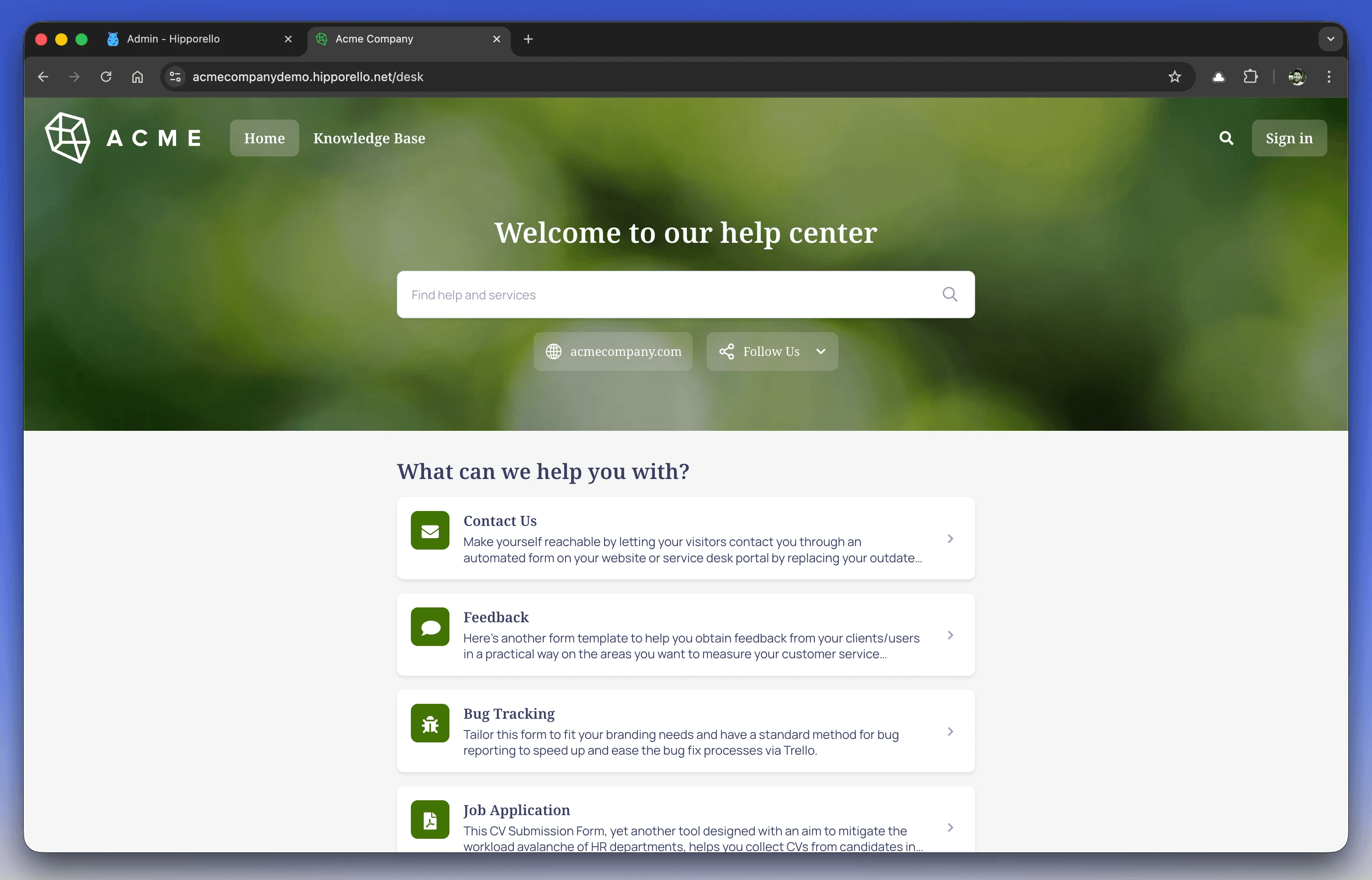
Asana doesn't include a client-facing portal — guests must be invited, create an Asana account, and can only see projects you explicitly share. An Asana client portal, meaning a branded page where clients submit requests and track their status without touching Asana, is something you add as a layer on top. That's what we build: Hipporello Service Desk for Asana turns client emails and form submissions into Asana tasks and gives clients a branded portal that can run on your own domain, while your team works the requests inside Asana.
Full disclosure up front, then: we make one of the tools this article covers. We'll also be clear about the cases where you don't need us at all, because "client portal" means different things to different teams, and one of those meanings is already handled well by Asana itself.
Key takeaways
Asana's guest access assumes the external person is a collaborator: an invite, an Asana account, and a view into the projects you share. That's a different job than a client-facing front door.
Asana forms can be filled out by anyone with the link, but the submitter gets no way to check what happened to their request afterward.
A portal layer like Hipporello adds the missing pieces: branded portal on your domain, request forms, email intake, status tracking for clients, and replies sent from inside the Asana task.
If your client genuinely needs to see project boards and timelines, guest access already covers that; a portal would only get in the way.
Does Asana have a client portal?
No — there's no native client portal in Asana. What Asana provides for external people is guest access: anyone whose email doesn't match your organization's domain can be invited into specific projects or teams. Guests are free and don't consume paid seats, which is genuinely useful. But the model is collaboration, not a service front door. A guest has to be invited by you, has to create an Asana account and log in, and then sees the projects and tasks you've explicitly shared (Asana's guest FAQ covers the details).
That works well when the "client" is really a collaborator — a marketing director at your biggest account who lives in the campaign project with you. It gets impractical when the clients are many, occasional, or not the kind of people who will make an account in your project tool to report a problem. The Asana Forum thread that ranks first for this exact search ("Best method for client portal") is agencies asking how to square that circle.
Can you share an Asana project with a client?
Yes, two native features get you partway — worth being precise about where each one stops.
Guests. Free, unlimited on paid plans, and full members of whatever projects you share. The catch for a portal use case is the flip side of the same design: every guest needs an invite and an account, and you share at the project or single-task level — there's no way to hand a client a filtered view of just their own items inside a shared project. For one or two involved clients, this is honestly the simplest answer. For thirty clients who each need to see only their own requests, it isn't workable.
Forms. Available on Starter and up, and shareable by public link, so an external client can submit a request without any Asana account. The submission lands as a task in the project, with answers mapped to custom fields if you set that up. Where it stops: the relationship ends at the submit button. The client gets a confirmation at most. There's no page where they can come back, see their open requests, check status, or add a follow-up. Whatever conversation happens next happens over plain email, disconnected from the task.
Neither of these is a flaw; both do what they were designed to do. The gap is the layer in between: external people who need their own view of their own requests, without joining your workspace.
What should an Asana client portal include?
Strip the label off and most teams asking for an "Asana client portal" want four things. Clients can submit a request through a form or by email. They can sign in on a branded page (ideally your own domain) and see the status of what they submitted. They can reply and get replies without the thread fragmenting. And none of this requires managing Asana access per client.
One thing a request portal deliberately does not do: expose your project boards. Clients see their tickets and their status. Your sections, assignees, and internal comments stay out of view. For agencies that's usually the point — the work stays private, the communication stays organized.
How to add a client portal to Asana with Hipporello
Hipporello Service Desk for Asana is a layer that connects to your Asana workspace through OAuth (it's listed in the Asana apps directory). Setup is a guided flow; here's the shape of it.
1. Connect an Asana project
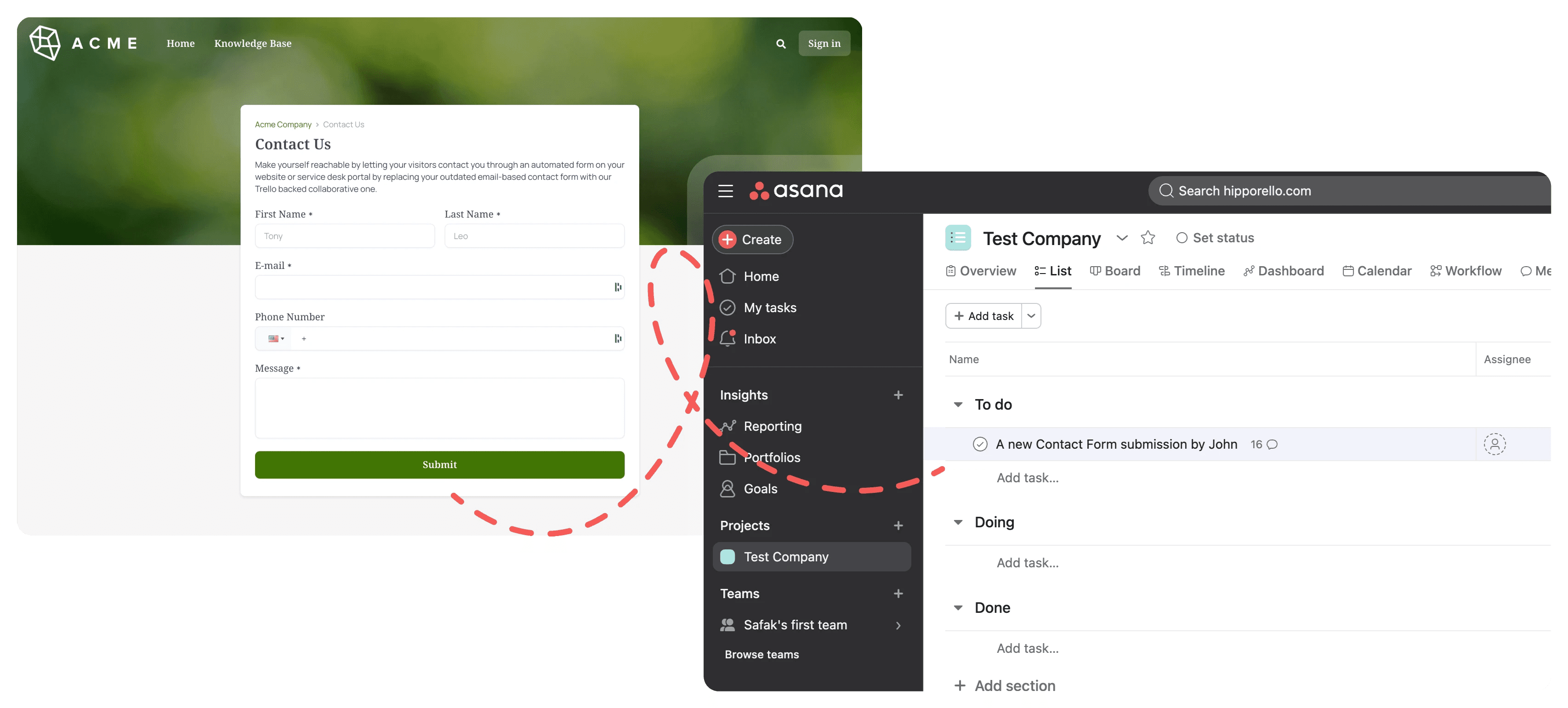
You authorize Asana, pick the project that should receive client requests, and finish configuration in Hipporello's Admin Panel. Every client submission becomes a task in that project, and your team keeps working in Asana — assignees, sections, custom fields, all native. You can connect more projects later and route different forms to different projects (and specific sections within them), while clients still see one portal.
2. Build the request forms
A drag-and-drop builder replaces the "email us and we'll see" intake. A design agency might publish a creative request form asking for format, dimensions, deadline, and brand assets; a bookkeeping firm might collect entity name, period, and document uploads. Form answers can map to Asana custom fields on Premium, so the task arrives ready to triage rather than needing a copy-paste pass.
3. Brand the portal and put it on your domain
The portal lives at yourname.hipporello.net by default and can sit on your own subdomain like support.youragency.com (DNS setup is a CNAME record and can take up to 24 hours to propagate). You control logo, cover image, colors, favicon, the wording of every label, and the language, so clients never feel like they've been handed off to someone else's software. Custom branding and the custom domain are both part of Premium; language settings are available on every plan.
4. Decide who can get in
Access settings cover the realistic range: leave the portal public, restrict registration to your clients' email domains, invite specific people manually, or disable sign-in entirely if you only want anonymous form intake. Clients can sign in with Google or Microsoft, and once signed in they can track the status of their requests in the portal. Domain restriction and invitations are part of Premium's portal access controls.
5. Reply from the Asana task
When a client submits a request or emails your support address, the task shows the full conversation. Your team answers from inside Asana through Hipporello's communication module; the client gets it by email or sees it in the portal, and their reply lands back on the same task instead of spawning a new thread. Canned responses are included on every plan, automations (auto-assignment, status moves, auto-replies) on Premium.
Pricing, briefly: the Free plan covers 5 tasks per month from forms and email combined, with unlimited agents, and every account starts with a 14-day Premium trial. Premium is $10 per agent per month for unlimited tasks plus the private forms, custom fields, custom domain, and access controls mentioned above. A self-service knowledge base for the portal is a separate add-on at $49.99/month. Details on the pricing page.
For a broader walkthrough of running support workflows in Asana — beyond the client-portal angle — see our guide to building an Asana ticketing system with a customer portal.
When you don't need a portal layer
Honest fit check, because this saves everyone time:
Your client should see the project itself — boards, timeline, task progress, the works. Use Asana guest access; for that person it's richer than any portal. (Hipporello deliberately doesn't expose project views to clients, so it would be a downgrade here.)
You have one or two deeply involved clients. Invite them as guests. The account-creation friction is paid once and the collaboration is richer.
Intake is all you need, with no follow-up conversation. A public Asana form link might be enough on its own.
The portal layer earns its place once the client list is too long, or too external, for invites to be practical. It also fixes the quieter problems: clients who ping you for status because they have nowhere to check it themselves, and conversations that scatter across inboxes instead of staying attached to the task.
FAQ
Does Asana have a built-in client portal?
No. Asana offers guest access (invited external users with Asana accounts who see shared projects) and shareable forms (external submission, but no status tracking for the submitter). A dedicated client portal (branded, on your own domain, with request tracking and no Asana accounts) comes from a third-party layer such as Hipporello Service Desk for Asana.
Can clients see their request status without an Asana account?
Yes, with a portal layer. In Hipporello's portal, clients sign in with email, Google, or Microsoft — no Asana account or seat — and see the status of the requests they submitted. In native Asana, only invited guests with Asana accounts can see task status.
Do clients see my Asana projects through the portal?
No. The portal shows clients their own requests and the conversation around them. Your project structure, internal comments, and assignees stay private to your team inside Asana, and one client company never sees another's requests. Whether teammates at the same client company can view each other's requests is up to you — it's an admin setting.
How much does an Asana client portal cost with Hipporello?
The Free plan includes the portal, forms, and email intake with 5 tasks per month and unlimited agents. Premium is $10 per agent per month and adds unlimited tasks, custom domain, custom portal branding, private forms, access restrictions, custom fields, and automations. Every account starts with a 14-day Premium trial.
Can the portal run on my own domain?
Yes. You can connect a subdomain such as support.youragency.com (or a root domain) on the Premium plan. Hipporello supplies the DNS records; propagation can take up to 24 hours.
Table of Contents