

Notion Documentation
Service Desk Automation in Notion
With Hipporello’s service desk automations for Notion, you can automate repetitive tasks, automatically update request items, notify requesters, and ensure each submission follows the correct workflow.
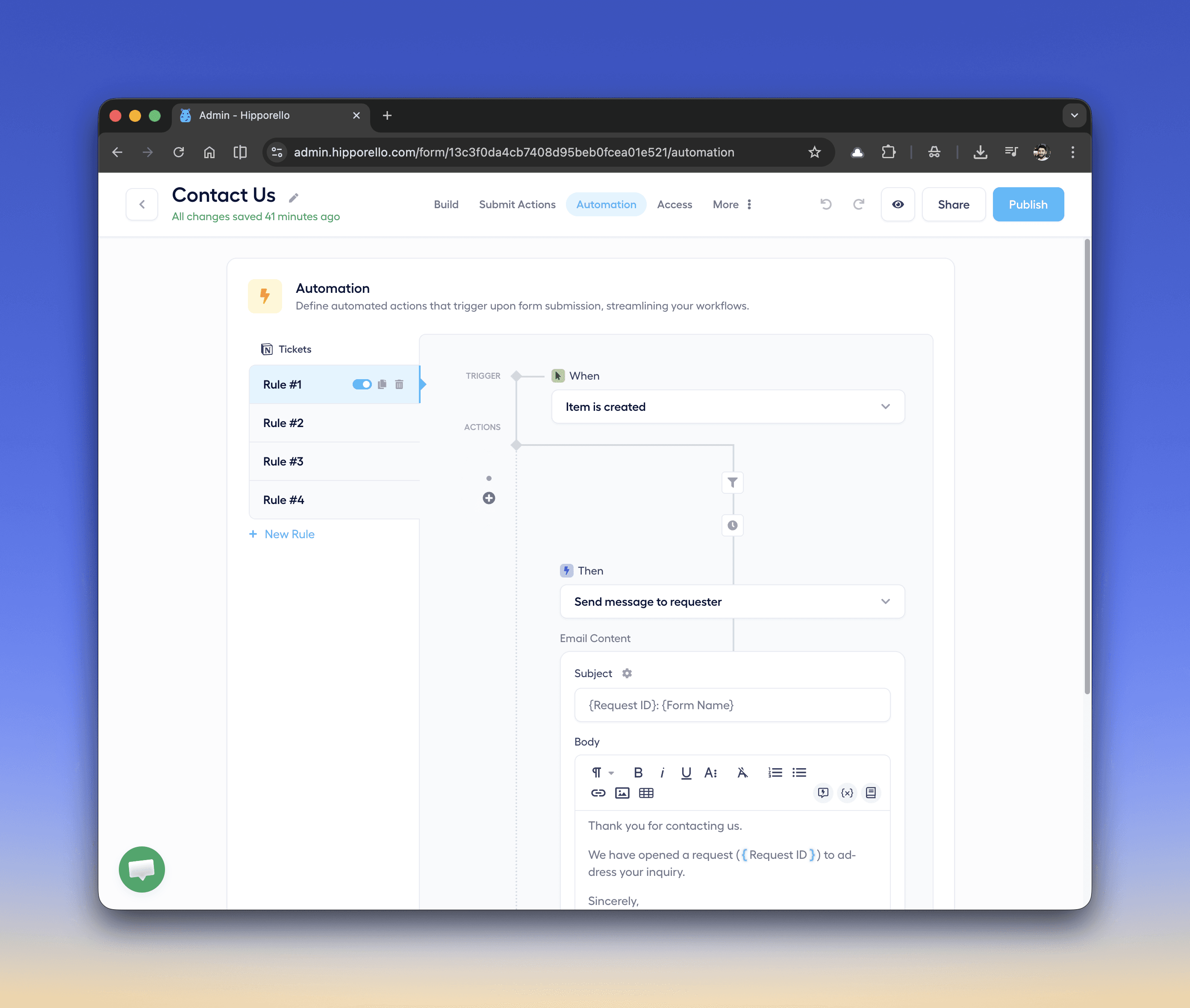
Hipporello's service desk automation enables your support system to automatically perform actions when specific events occur in your Notion workflow.
For example, when a request is submitted through a form or email, automation can:
Assign the request item to the appropriate team member
Add tags to categorize the request
Update the item status inside the Notion database
Send a confirmation email to the requester
Service Desk Automation Triggers and Actions in Notion
Triggers start the automation when an event occurs in Notion.
Examples include:
Notion item is created in a database
Notion item property is updated
Comment is added to an item
Item status changes
Tags are added to an item
For example, when a new item is created from a form submission, an automation rule can immediately send a confirmation email to the requester.
Once a trigger occurs, automations perform predefined actions such as:
Send message to requester
Assign the item to a team member
Add tags to an item
Update item status
Add comments to the item
Notify support agents
These actions help keep requests organized and ensure requesters receive timely updates.
What does a Service Desk Automation Workflow in Notion look like?
Here is a simple example of an automation rule:
Trigger
When Notion item is created
Condition
If request type = IT Support
Delay
Wait 10 minutes
Action
Send confirmation message to requester
This workflow ensures that requests are acknowledged automatically while also allowing time (10 minutes) for internal processing.
Any other questions? Get in touch