

Notion Documentation
A Native User Portal for Notion
A User Portal is a dedicated web interface where end users can submit service requests, support inquiries, or feedback through structured forms. When visitors access the portal, they interact with a simple and intuitive interface designed to make request submission fast and straightforward. Each submission automatically creates an item inside your Notion workspace, ensuring that incoming requests are recorded in a structured and trackable workflow.
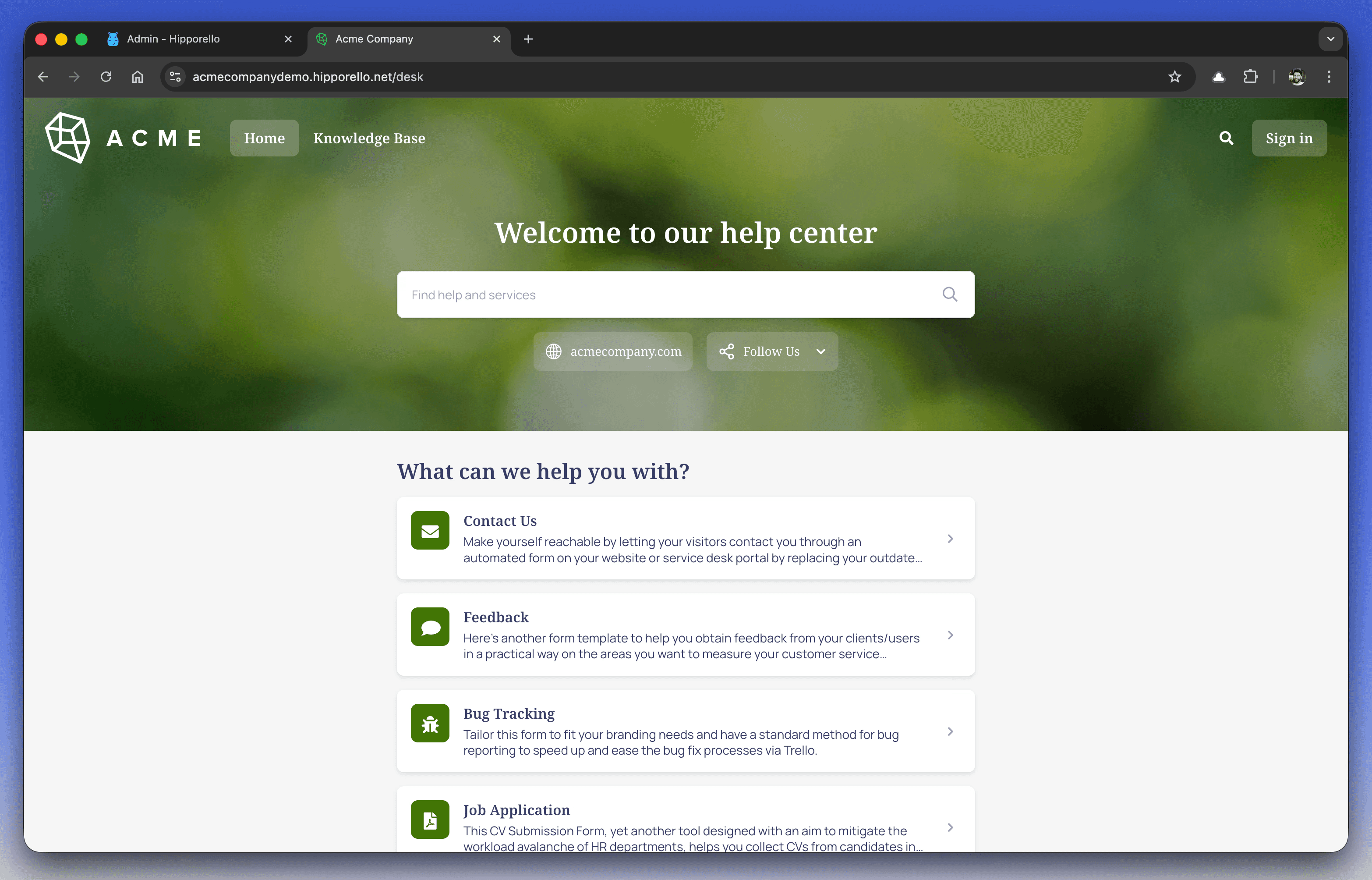
The portal is fully customizable, allowing you to adapt both its appearance and functionality to reflect your brand identity and operational requirements.
How to Access Your Hipporello User Portal
After completing the Hipporello Service Desk setup, you can access your portal in the following ways:
Direct Access
Open your browser and enter your portal address. It typically follows this format:
yourportalname.hipporello.net
Via the Admin Panel
Log in to admin.hipporello.com, then navigate to User Portal from the left-side menu to open your portal.
Key Features of the Hipporello User Portal
Pre-Published Forms
Default forms are available immediately after installation, covering common support and service request scenarios so users can begin submitting requests right away.
Full Control Over Forms
You can create new forms, modify existing ones, or remove forms that are no longer needed. This flexibility ensures the portal evolves together with your services and operational processes.
Customization Options
You can personalize the portal’s design to align with your brand by adjusting:
Colors
Fonts
Logo
Form titles and descriptions
These settings help maintain a consistent and professional user experience.
Automated Workflow Integration
Each form submission automatically generates an item in your Notion database, allowing teams to track, manage, and respond to requests within a centralized workspace.
The Hipporello User Portal improves user engagement by providing a clear and organized request submission experience. A properly configured portal not only enhances usability for end users but also increases efficiency for teams managing incoming requests.
Any other questions? Get in touch