

Asana Documentation
Your user portal in service desk for Asana
A User Portal is a dedicated website where end users can access and submit forms related to service requests or support inquiries.
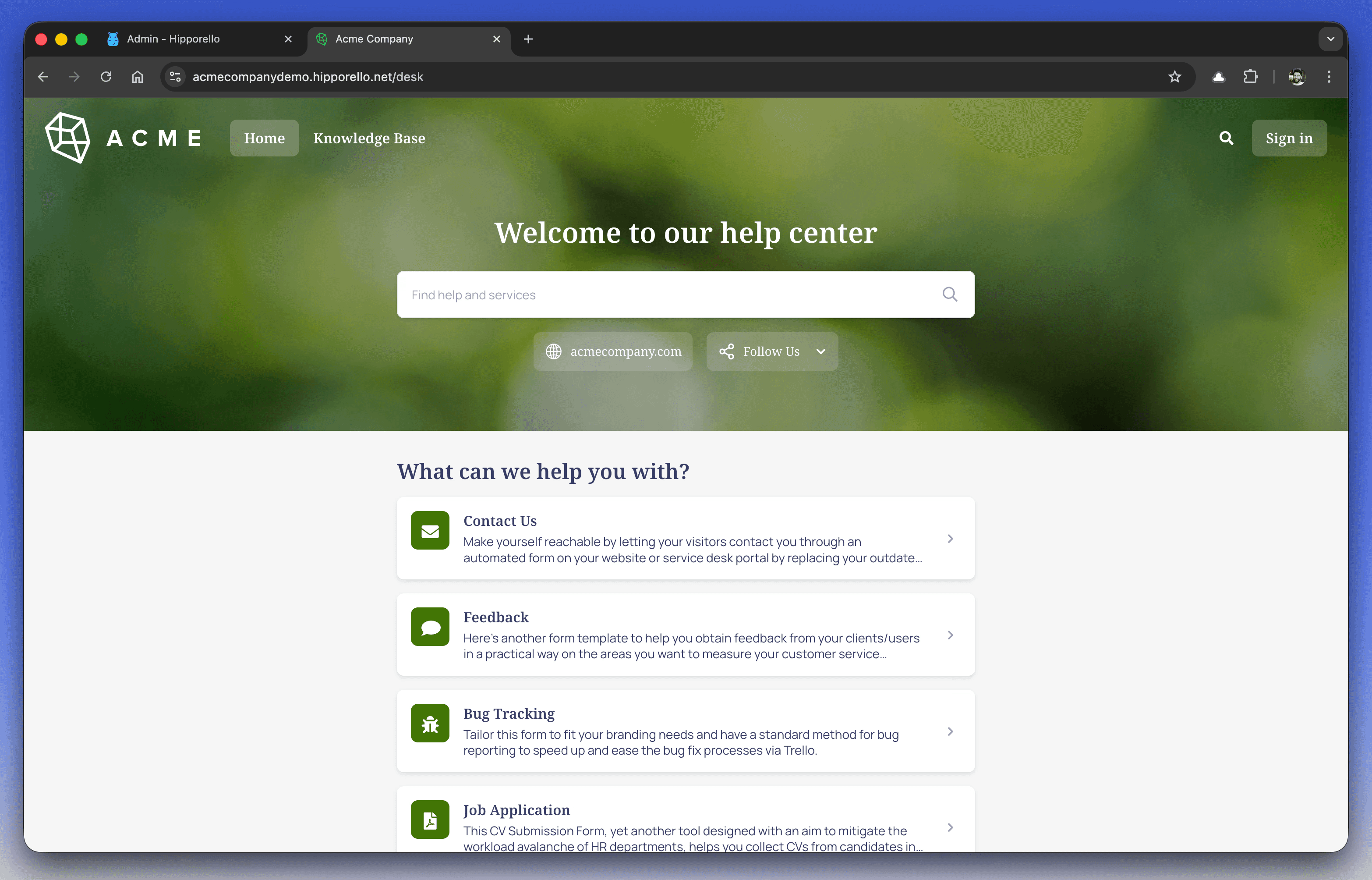
When users visit the portal, they are presented with a user-friendly interface that allows them to submit information easily. Each submission automatically creates a task inside Asana, ensuring a structured and trackable workflow for managing customer requests, feedback, and inquiries.
The portal is highly customizable, allowing you to tailor both its design and functionality to match your brand and operational needs.
How to Access Your Hipporello User Portal
After setting up Hipporello Service Desk, accessing your portal from a visitor’s perspective is simple:
Direct Access
Enter your portal address into your browser. It usually follows this format:
yourportalname.hipporello.net
Via the Admin Panel
Enter the Hipporello Admin Panel and click the User Portal button on the left menu.
Key Features of the Hipporello User Portal
Pre-Published Forms
Default forms are available immediately after setup, covering common service requests and support needs. This allows users to start submitting requests right away.
Full Control Over Forms
You can create new forms, edit existing ones, or remove forms that are no longer relevant. This ensures your portal stays aligned with your evolving services.
Customization Options
The portal design can be adjusted to match your brand identity:
Colors
Fonts
Logo
Form titles and descriptions
This creates a cohesive and professional user experience.
Automated Workflow Integration
Each form submission automatically generates a task in Asana, helping your team track, manage, and respond to requests efficiently.
The Hipporello User Portal enhances user engagement by providing a simple and organized way for customers to submit requests. A well-customized portal improves both user experience and internal workflow efficiency.
Any other questions? Get in touch