

Asana Documentation
How to collect Asana issues through forms
This section explains how to use Service Desk forms to collect customer requests and inquiries. Every form submission made through your user portal automatically creates a task inside Asana.
Follow these steps to streamline your workflow and improve request management:
Create a Form
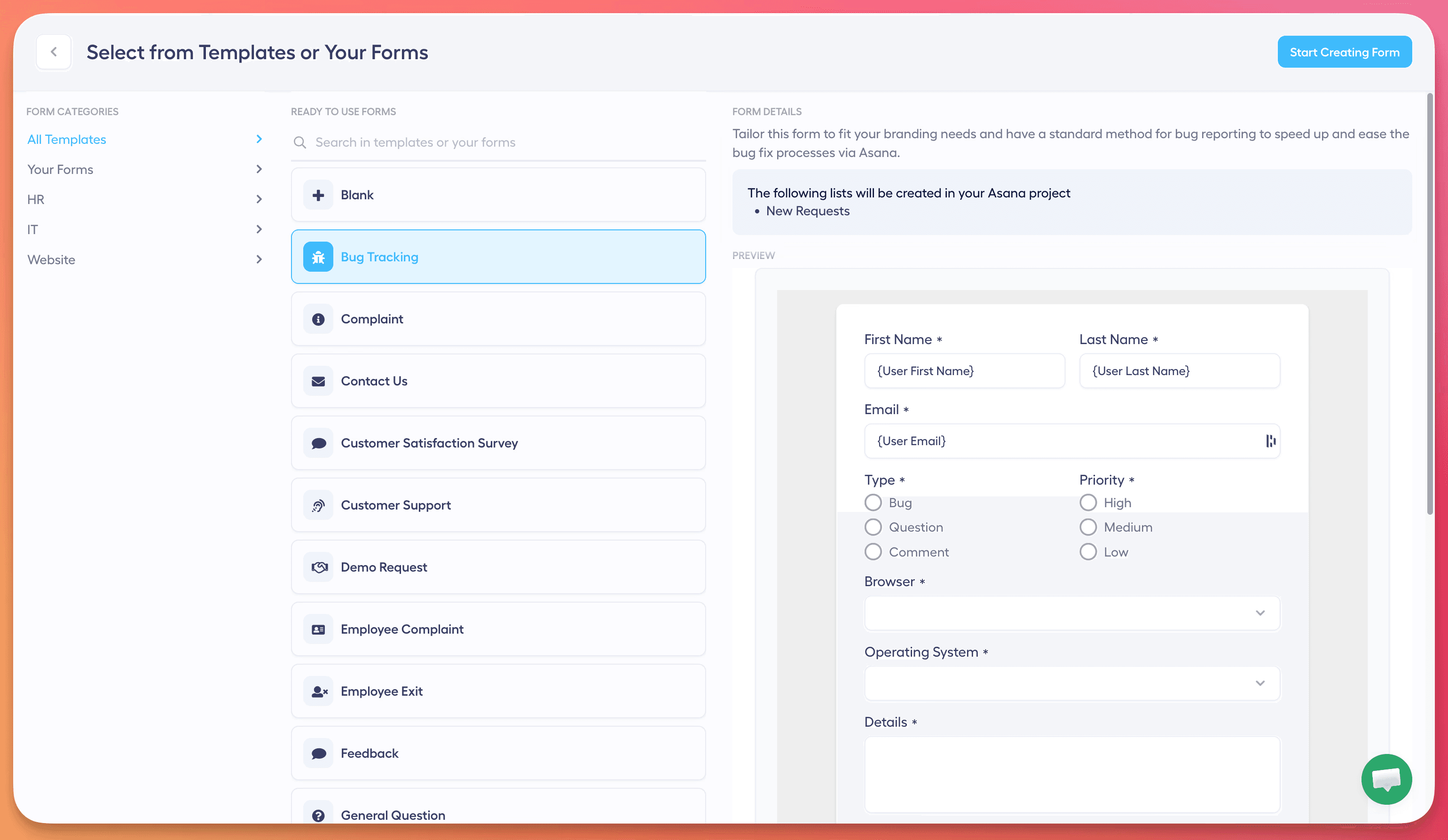
Start by choosing from ready-made templates or create a brand-new form from scratch. This flexibility helps you gather exactly the information you need from your users.
Customize Input Fields
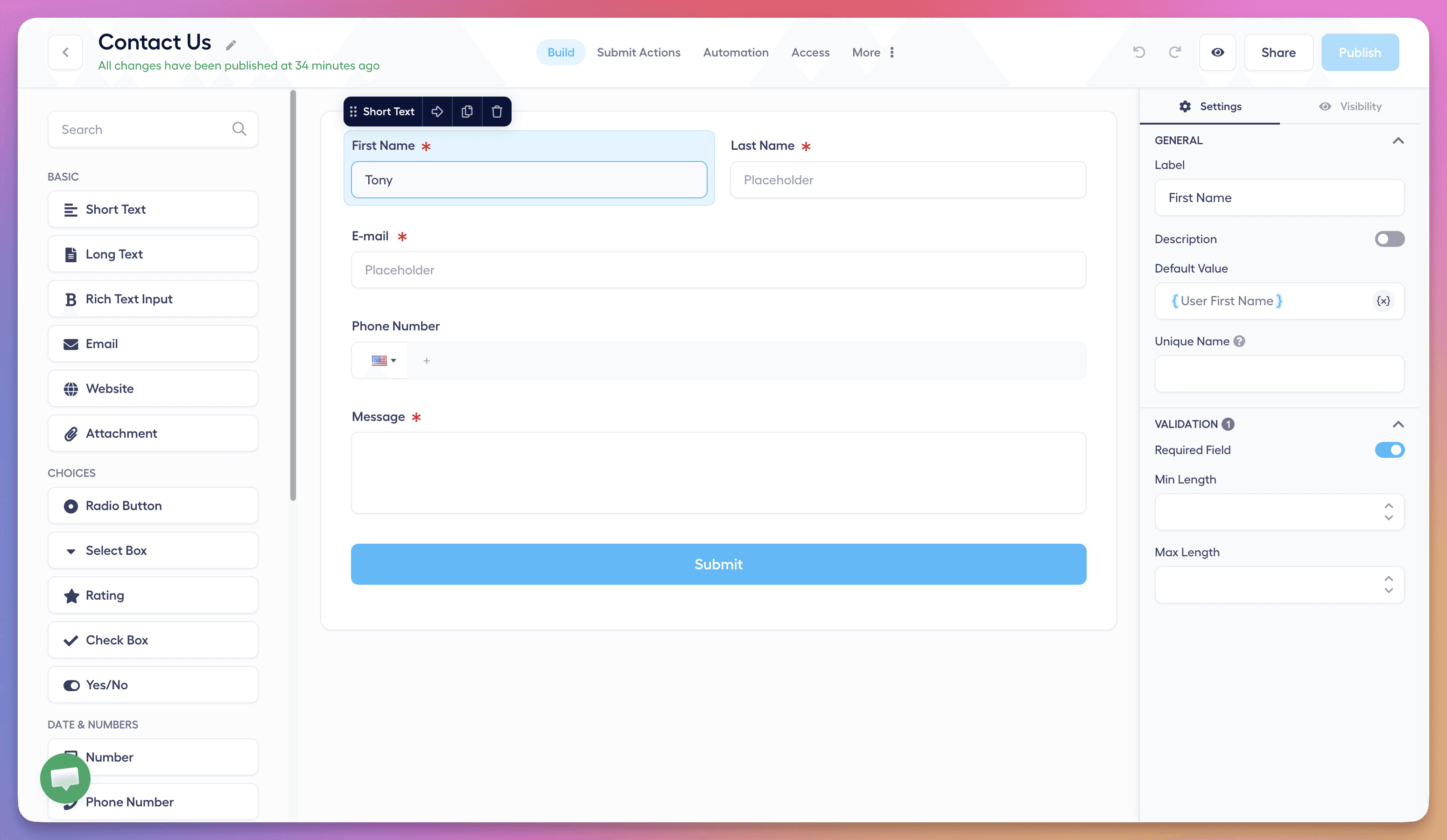
Add custom input fields to capture precise data. This ensures that every Asana task created from a submission includes all the relevant information needed for efficient task handling.
Set Access Controls
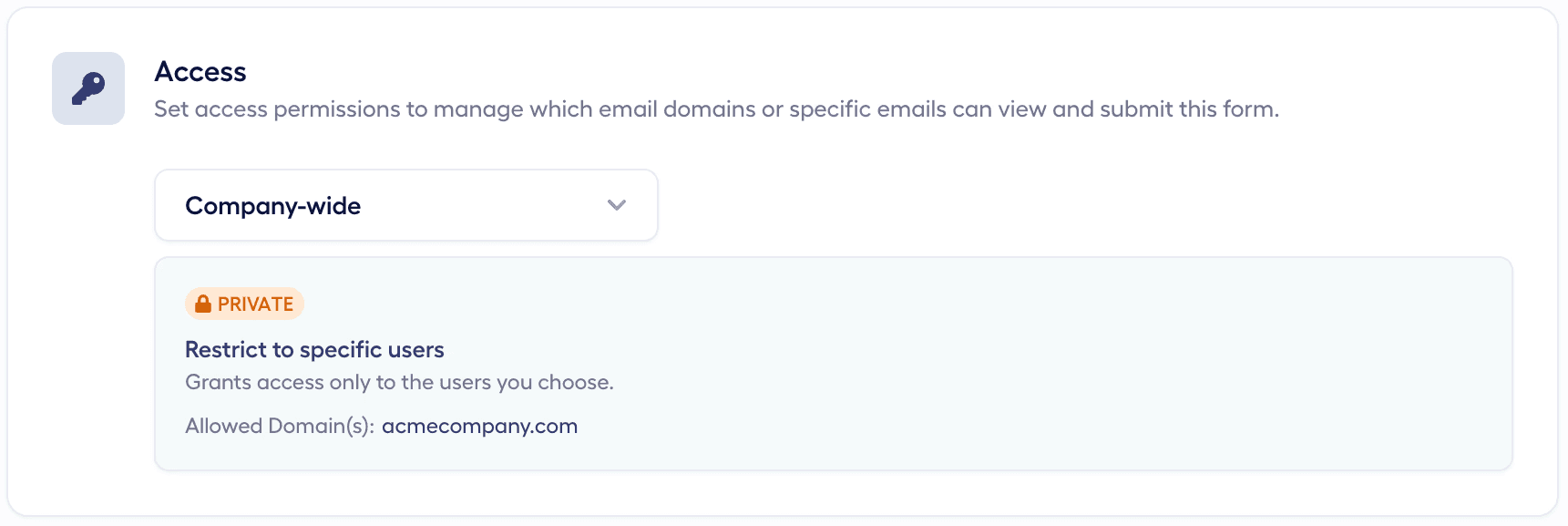
Define who can access your forms by setting permission rules. This helps maintain data security and ensures that only the right people can submit or view forms.
Embed Forms on Your Website (Optional)
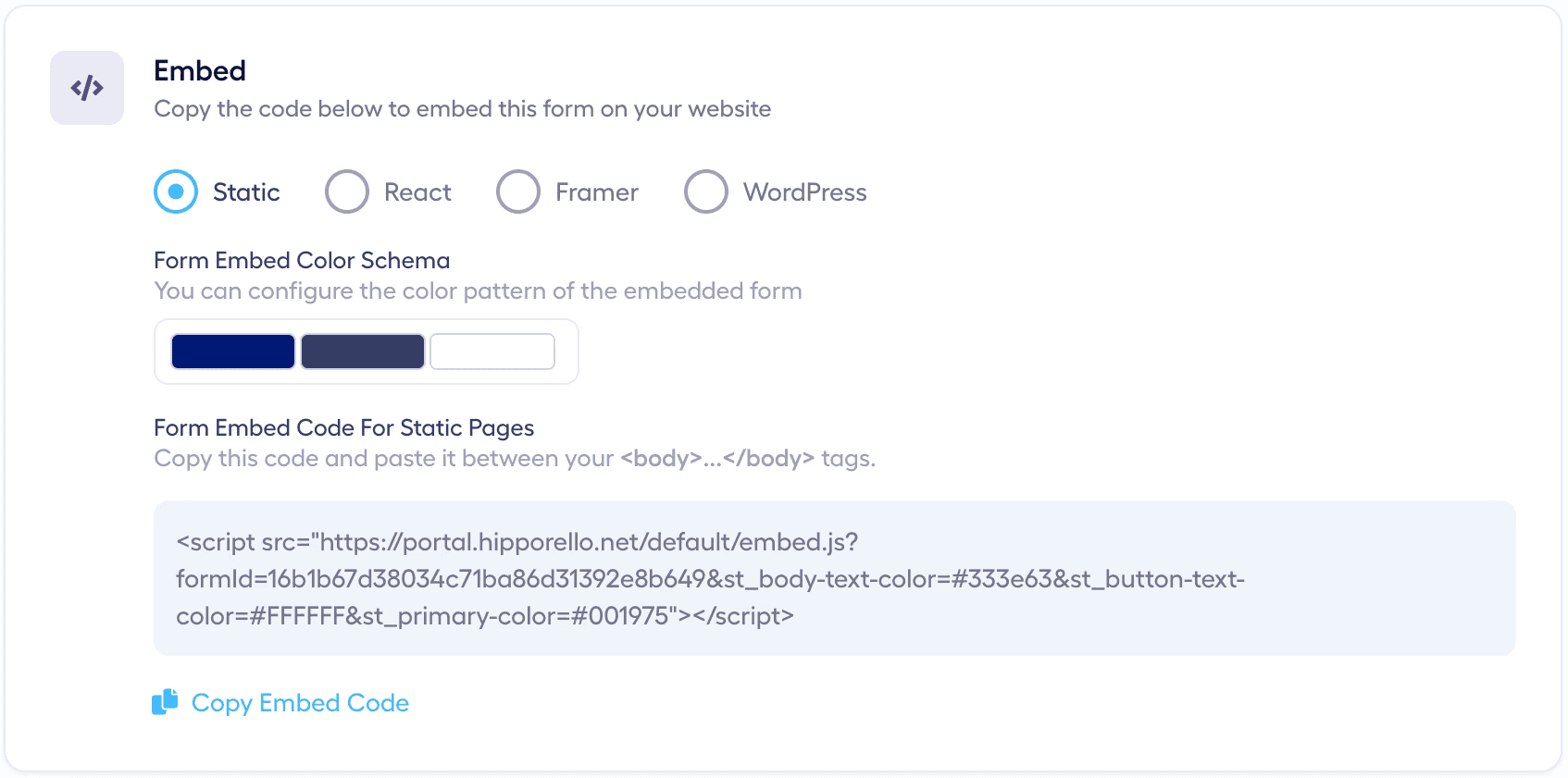
You can embed Hipporello forms directly on your website or platforms like Framer, Shopify, Wix, or WordPress.
You can place multiple forms on different pages, and every submission will create a task in Asana for your team to manage.
Notifications
When a form is submitted, relevant members including the portal owner, the assigned agent, and task collaborators receive email notifications. This ensures every new request gets timely attention.
Details Included in Each Task
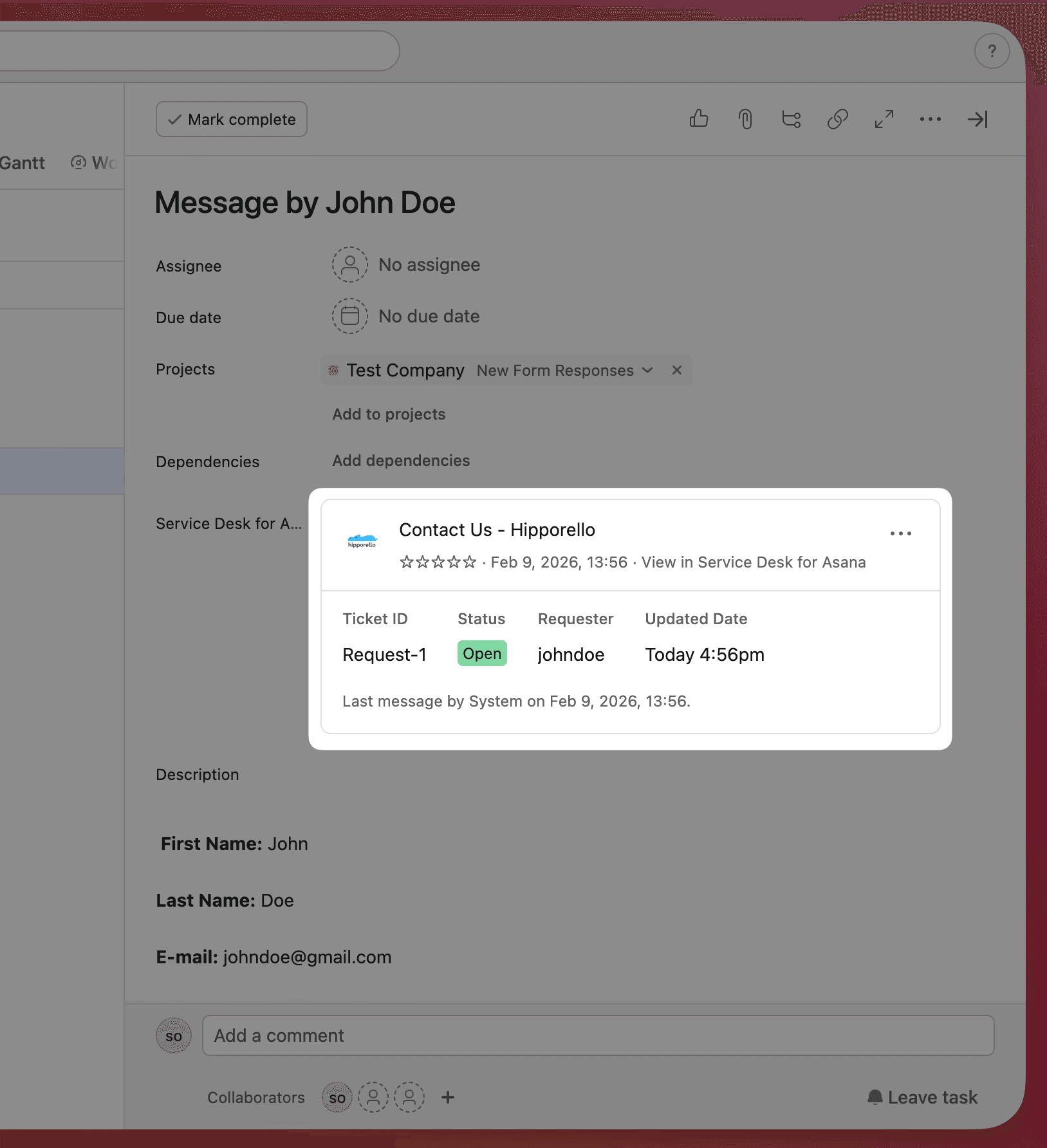
Each task generated from a form submission includes detailed information such as the user’s country, IP address, browser type, and submission channel.
For a complete overview, review the task details. You can also add private comments within the task activity for internal team collaboration.
Direct Communication
You can communicate directly with the submitter from the Asana task by typing #reply in the task comment, or by replying to the notification email.
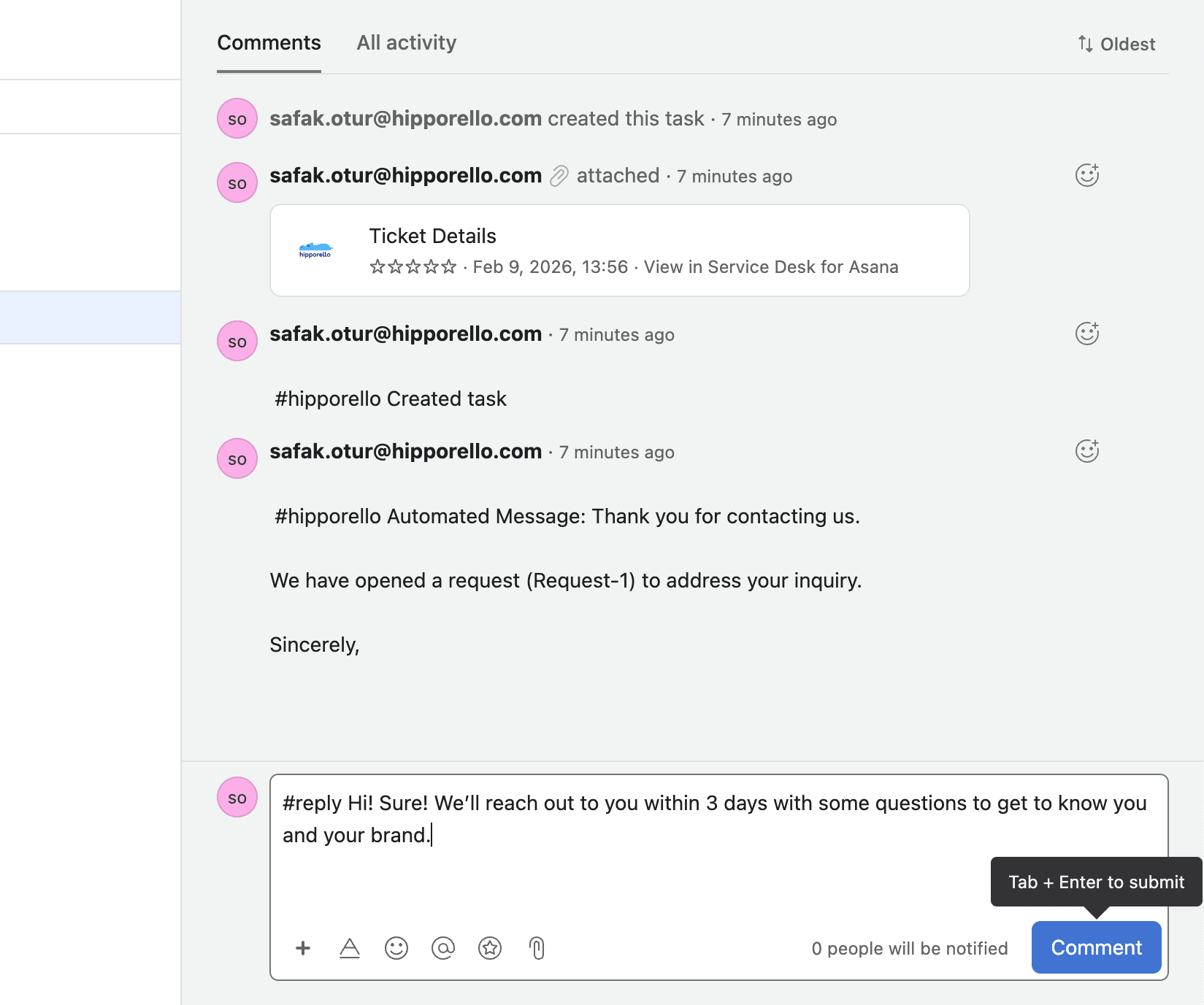
This direct communication allows you to:
Ask clarifying questions
Request additional information
Send automated responses
To maximize efficiency and maintain consistent communication, use quick texts and automated messages. This helps save time while ensuring your clients receive timely and relevant responses.
By following these steps, you can effectively manage form submissions and enhance your workflow using Hipporello Service Desk with Asana.
Any other questions? Get in touch